

Welcome ! Private Tutoring in UAE

Call now : 54 7899 234

info@vidhyaarun.com

Borrow - Loan Company Website Template

Autodesk AutoCAD

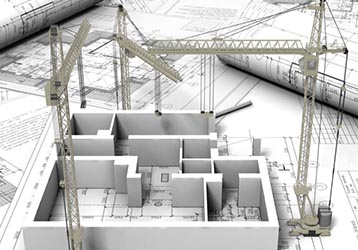
AutoCAD was one of the first Computer Aided Design programs to be made available on personal computers. It is built to help people design buildings, products, or public spaces, without having to draw up plans by hand. It was released in 1982 by Autodesk, Inc., and offered a personal solution to software that was before then released only for larger workstations.
While CAD programs prior to AutoCAD required massive amounts of computing power in the form of gigantic computers, AutoCAD streamlined its operating and optimized it for the IBM PC, allowing people to work from home or on their own work computers.
- AutoCAD is recognized as a standard internationally It is a very powerful tool which can be used for a very wide range of disciplines – from Town Planning to Designs in microscopic scale - AutoCAD is easy to learn and simple to use - AutoCAD can be used as a stand alone or in combination with many other programs to give output as plans and diagrams, text, full colour pictures and illustrations

Autodesk AutoCAD - Course Details

Introduction to AutoCAD
  • Starting AutoCAD
  • Invoking Commands in AutoCAD
  • Starting a New Drawing
  • Save Drawing as Dialog box
  • Opening an Existing Drawing
  • Creating and Managing Workspaces


  • AutoCAD Screen Components
  • AutoCAD Dialog Boxes
  • Saving Your Work
  • Closing a Drawing
  • Quitting AutoCAD
Getting started with AutoCAD
  • Dynamic Input Mode
  • Invoking tools Using Dynamic INPUT/Command Prompt
  • Setting Units Type and Precision


  • Drawing Lines in AutoCAD
  • Coordinate Systems
  • Object Selection Methods
  • SETTING the Limits OF A DRAWING
Starting with Advanced sketching
  • Drawing Arcs
  • Drawing Ellipses
  • Drawing Polylines
  • Drawing Infinite Lines


  • Drawing Rectangles
  • Drawing Regular Polygon
  • Placing Points
  • Writing a Single Line Text
Working with drawing Aids
  • Understanding the Concept and use of LAYERS
  • Object Properties
  • Working with Object Snaps
  • Running Object Snap Mode
  • Function and Control Keys


  • Working with Layers
  • Drafting Settings dialog box
  • Drawing Straight Lines using the Ortho Mode
  • Using Auto Tracking
Editing Sketched Objects-I
  • Editing Sketches
  • Copying the Sketched Objects
  • Mirroring the Sketched objects


  • Moving the Sketched Objects
  • Arraying the Sketched Objects
Edting Sketching Objects-II
  • Introduction to Grips
  • Managing Contents Using the Design enter
  • Panning Drawings


  • Types of Grips
  • Zooming Drawings
Creating Tect and Tables
  • Annotative Objects
  • Multiple Annotation Scales
  • Creating Text
  • Entering Special Characters
  • Editing Text
  • Creating a New Table Style


  • Annotation Scale
  • Controlling the Display of Annotative objects
  • Creating Multiline Text
  • Inserting Table in the Drawing
Basic Dimensioning, Geometric Dimensioning and Tolerancing
  • Need for Dimensioning
  • Fundamental Dimensioning Terms
  • Angular Dimensioning of Circles
  • Working with True Associative Dimensions
  • Geometric Dimensioning and Tolerance
  • Adding Geometric Tolerance


  • Dimensioning in AutoCAD
  • Creating Linear Dimensions
  • Creating Inspection Dimensions
  • Aligning Multileaders
  • Geometric Characteristics and Symbols
  • Complex Feature Control Frames
Editing Dimensions
  • Editing Dimensions by Stretching
  • Flipping Dimension Arrow
  • Modifying the Dimensions
  • Updating Dimensions
  • Properties Palette (Dimension)
  • Model Space and Paper Space Dimensioning


  • Editing Dimensions by Trimming and Extending
  • Editing the Dimension Text
  • Editing Dimensions with Grips
  • Editing Dimensions using the Properties Palette
  • Properties Palette (Multileader)
Dimension Styles, Multileader styles and System variables
  • Using Styles and Variables to Control Dimensions
  • New Dimension Style dialog box
  • Fitting Dimension Text and Arrowheads
  • Formatting Alternate Dimension Units
  • Modify Multileader Style dialog box


  • Creating and Restoring Dimension Styles
  • Controlling the Dimension Text Format
  • Formatting Primary Dimension Units
  • Formatting the Tolerances
  • Creating and Restoring Multileader Styles
Model space Viewports, paper space viewports and Layouts
  • Model Space and Paper Space/Layouts
  • Making a Viewport Current
  • Paper space viewports (Floating Viewports)
  • Editing Viewports


  • Model Space Viewports (Tiled Viewports)
  • Joining Two Adjacent Viewports
  • Temporary Model Space
Plotting Drawings
  • Plotting Drawings in AutoCAD
  • Adding Plotters

  • Plotting Drawings Using the Plot Dialog Box
  • Using Plot Styles
Hatching Drawings
  • Hatching
  • Panels in the Hatch Creation Tab
  • Hatching the Drawing Using the Tool Palettes

  • Hatching Drawings Using the Hatch Tool
  • Creating Annotative Hatch
  • Hatching Around Text, Dimensions, and Attributes
Working with Blocks
  • The Concept of Blocks
  • Creating and Inserting Annotative Blocks
  • Creating Drawing Files using the Write Block Dialog Box


  • Inserting Blocks
  • Adding Blocks in Tool Palettes
Top